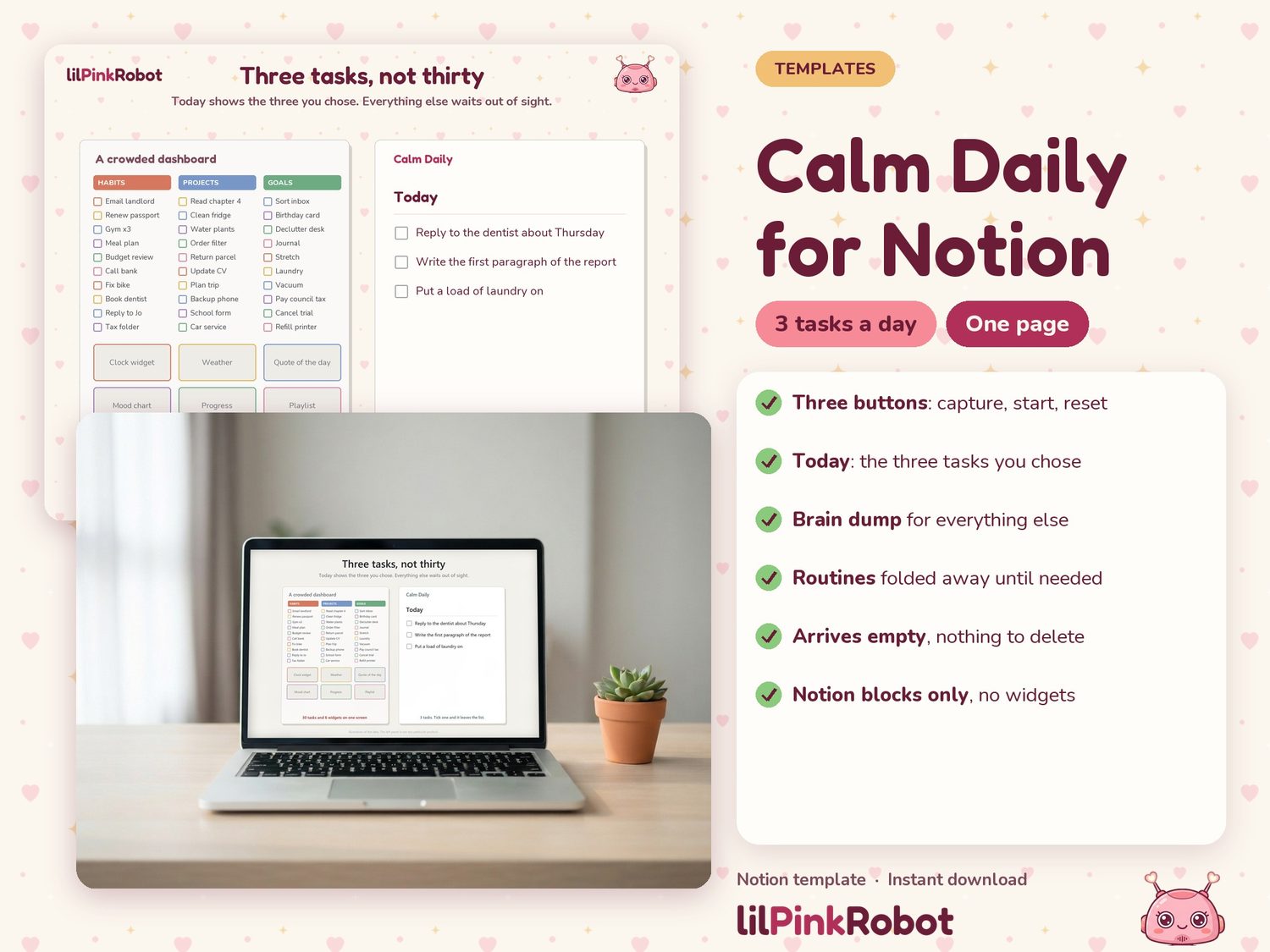
Calm Daily Planner for Notion
Three tasks a day, brain dump and routines
£15.00at launch
Visit our Etsy shopComing to Etsy soon. The price above is the planned launch price.
- Digital download: nothing is posted to you
- Files ready as soon as you buy
- Secure checkout on Etsy
- Three tasks a day, not thirty.
- The template arrives empty. There is no sample content to delete. A separate demo link shows it filled in.
- Built only from Notion's own blocks. No third-party widgets, no embedded websites, no images loaded from elsewhere, so there is nothing of that kind to stop working.
- Default text colour and one accent colour. No cover images.
The details
Calm Daily is one quiet Notion page that answers a single question: what do I do now? It was designed for low visual load and quick capture, for adults with ADHD who have tried bigger planners and stopped opening them.
What is on the page
- Three buttons: Capture, Start my day, Reset routines.
- Today: the three tasks you chose, and nothing else. Tick one and it leaves the list.
- Brain dump: everything you captured, waiting until you are ready to sort it.
- Routines: morning, afternoon and evening steps, folded away until you open them.
- More: a Later list, a Done log, three optional add-on pages and a six-line guide, all closed by default.
Why it stays calm
- Three tasks a day, not thirty.
- The template arrives empty. There is no sample content to delete. A separate demo link shows it filled in.
- Built only from Notion's own blocks. No third-party widgets, no embedded websites, no images loaded from elsewhere, so there is nothing of that kind to stop working.
- Default text colour and one accent colour. No cover images.
What you get
- One PDF with your template link, a demo link and three steps to duplicate.
- The template: one home page, two simple databases (Tasks and Routines), three buttons.
- Three optional pages under More: Appointments, Weekly reset, Parking lot.
- A six-line guide inside the template.
How it works
- Download the PDF and open the template link.
- Sign in to Notion (a free account is enough) and select Duplicate.
- Press Capture and type your first task.
A normal day
- Capture whatever is on your mind.
- Press Start my day and pick up to three tasks.
- Do them, top to bottom.
- Tick each one when it is done.
- Reset your routines the next morning.
- Ignore everything under More until you want it.
Please note
- You need a Notion account. Notion is a separate app and is not included.
- Duplicating the template is easiest on a computer.
- This is an organising tool. It is not a health product and makes no health claims.
- The page is deliberately small. It has no finance tracker, meal planner, habit graphs or goal dashboards.
- Notion changes its features from time to time. If something stops working after a Notion update, message me and I will send an updated link.
- Because this is a digital item, it cannot be returned. Message me if the link does not open and I will help.